
Website

Food Ingredient Wholesale SaaS Website: Turning Customer-Specific Pricing into a Ledger Owners Can Understand

Food wholesale owners won’t pay for “digitalization”; they’ll only pay for the numbers they can’t get straight. The website for this ordering SaaS made several key decisions: no backend screenshots on the first screen, features organized by business workflow rather than by module, only one next step across the entire site, and a trial form that asks only for headcount.

重庆答音科技有限公司 Chongqing Launched 2026-10-25
Food Ingredient Wholesale SaaS Website: Turning Customer-Specific Pricing into a Ledger Owners Can Understand
Client重庆答音科技有限公司
Industry & TraitsWebsite
RegionChongqing
Launched2026-10-25
Delivery TeamChenChen

This site sells an account, not software.

Food wholesale bosses won’t pay for “digitalization.” The reasons they pay are very concrete: their price got undercut again this month; the commissions calculated for two salespeople don’t match their own numbers; customer accounts can’t be seen clearly until the end of the month.

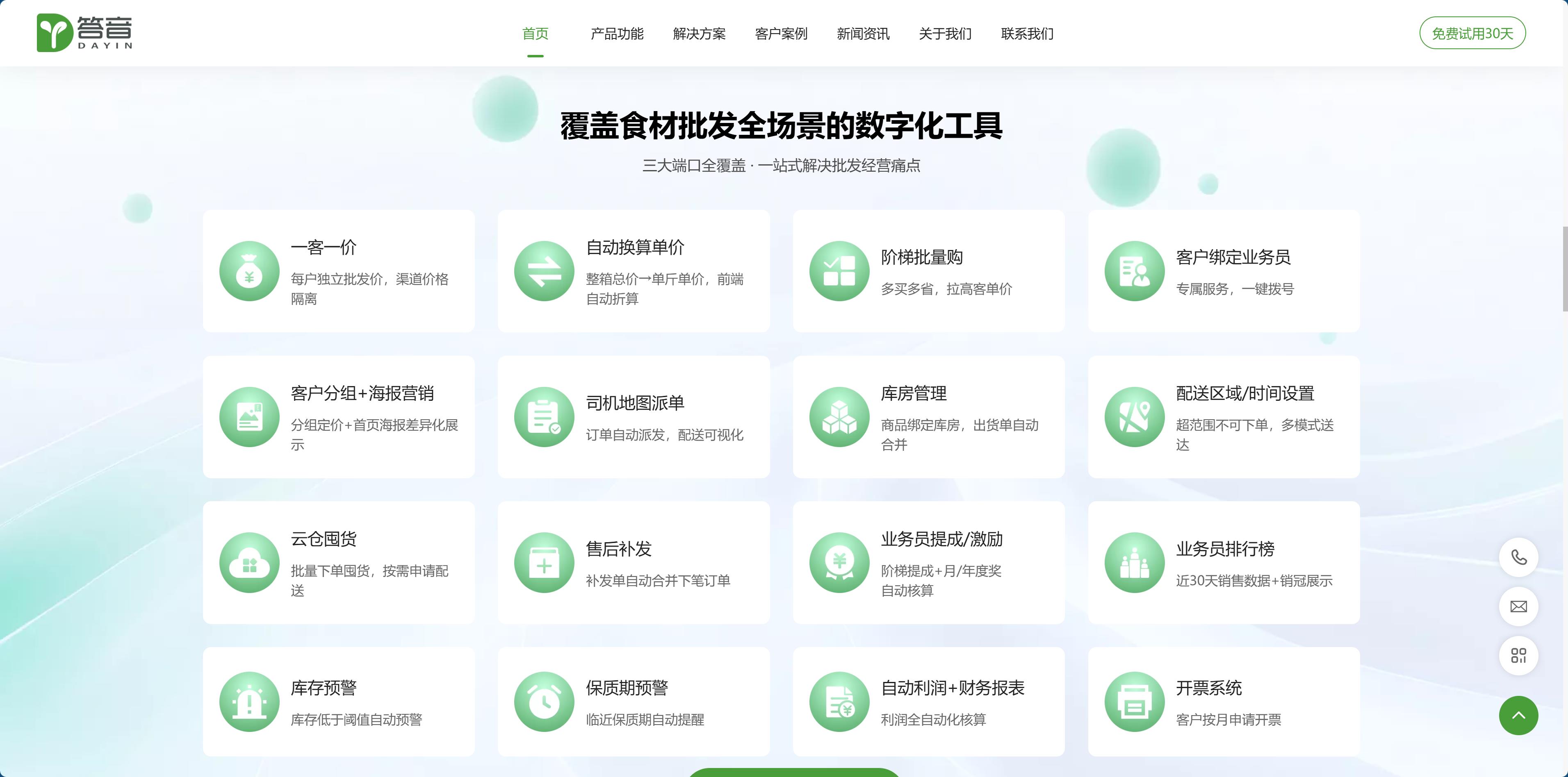
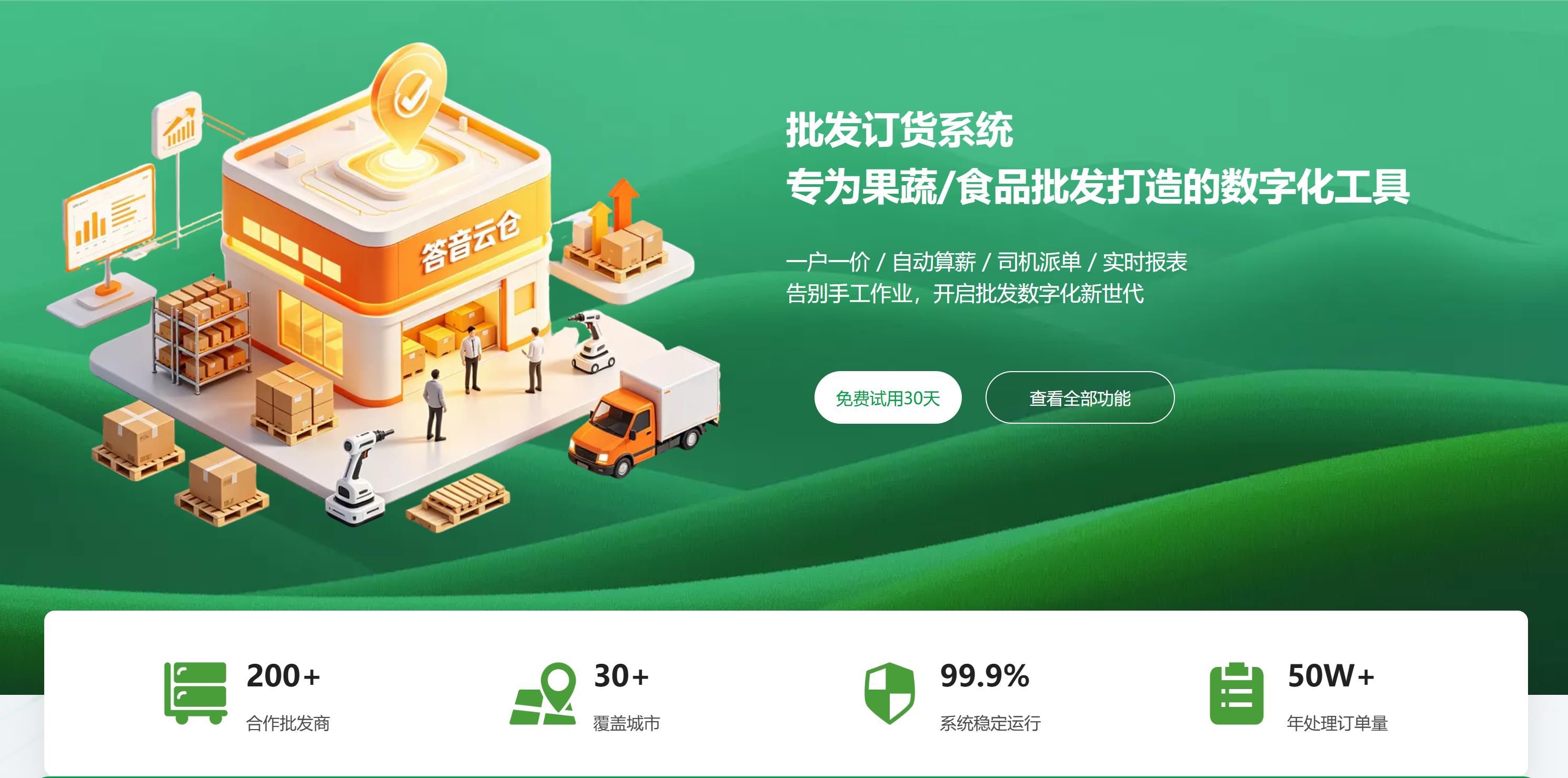
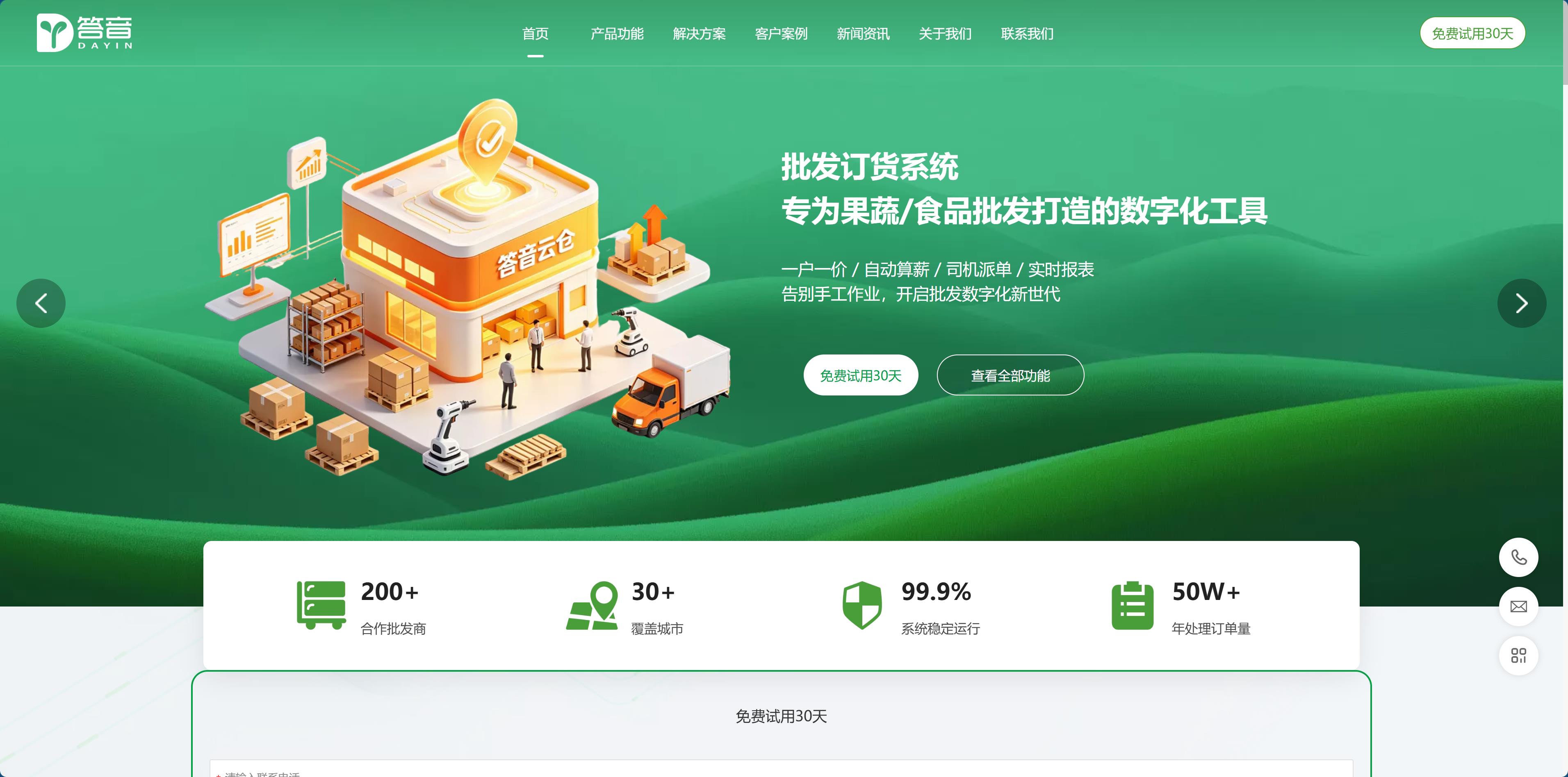
So the homepage of this ordering SaaS doesn’t open with “We are a professional SaaS provider,” but with four phrases: one price per customer, automatic payroll calculation, driver dispatch, real-time reports.

Four phrases, four pain points—not one of them is the name of a software feature.

This is the first decision for this kind of site: the words on the page should use the customer’s own language, not product terminology. The backend calls it “multi-level pricing strategy configuration,” while the boss calls it “one price per customer”; the backend calls it “commission settlement,” while the boss calls it “payroll calculation.” What differs is not just a term, but the first second in which the customer can or cannot understand it.
dy9.jpg

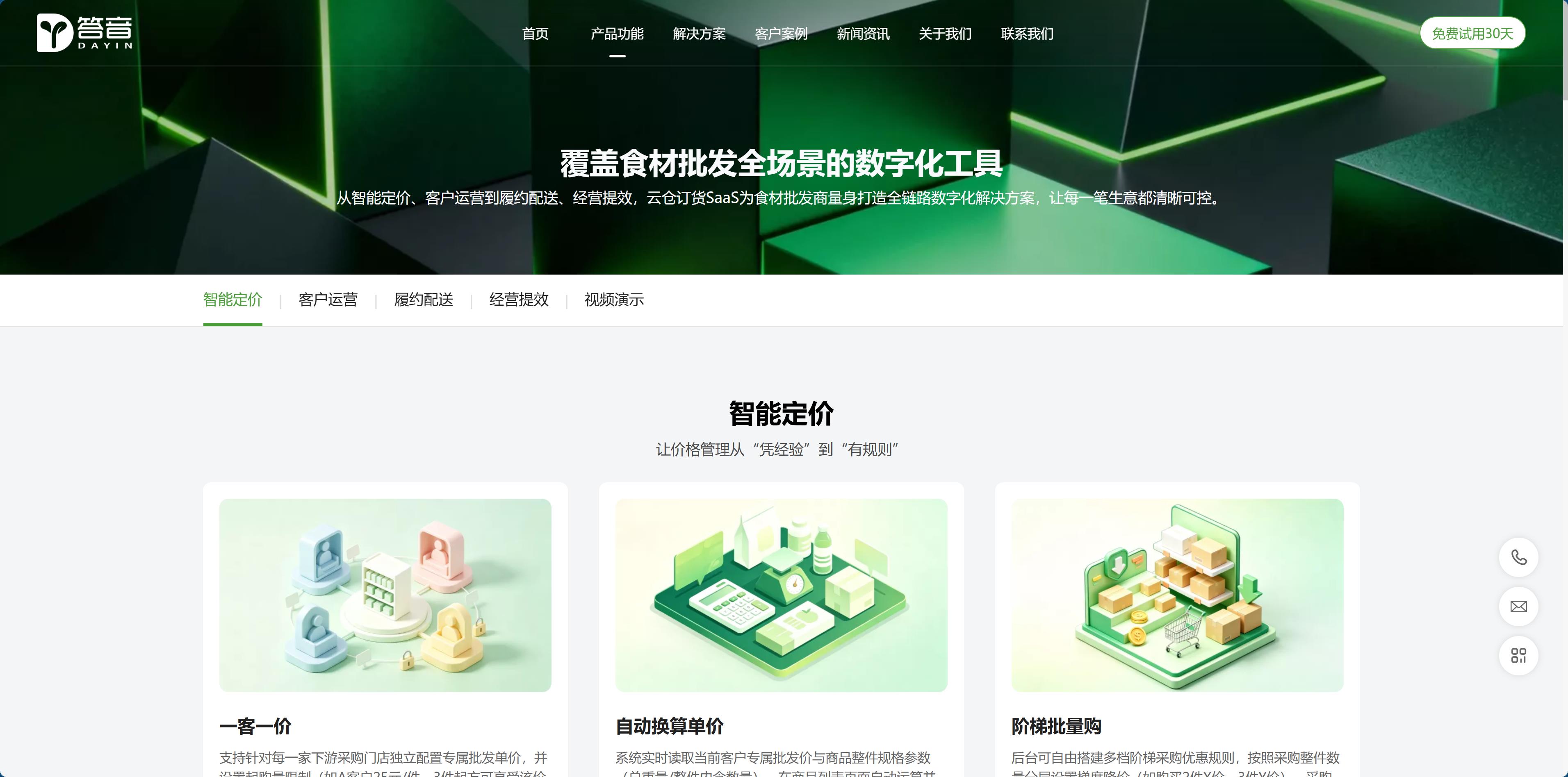
The hero section doesn't use a backend screenshot; it features four actions.

The convention for B2B SaaS sites is to put a screenshot of the backend on the hero screen, preferably with some perspective, to look professional.

This site doesn't. The hero has three layers: one line that clearly states what it does (a wholesale ordering system, specifically for fruit, vegetable, and food wholesale); one line with four action phrases; and one button.

The reason is very practical: in a screenshot of the backend, amid tables and buttons, customers can't tell whether it's good or bad, but they can easily be put off—many people's first reaction is "It's so complicated, my people won't be able to learn it." Software's persuasiveness doesn't come from a good-looking interface; it comes from the contrast between "how you used to do things and how you do them now."

The screenshot hasn't disappeared; it has just moved: to the place where specific features are discussed, where with context and explanation, it can be understood.

dy1.jpg

One price per customer: turning rules into computable examples

Customer-specific pricing is the lifeline of this industry. Two stores on the same street have different purchase prices, and if anyone's price leaks out, the channel descends into chaos.

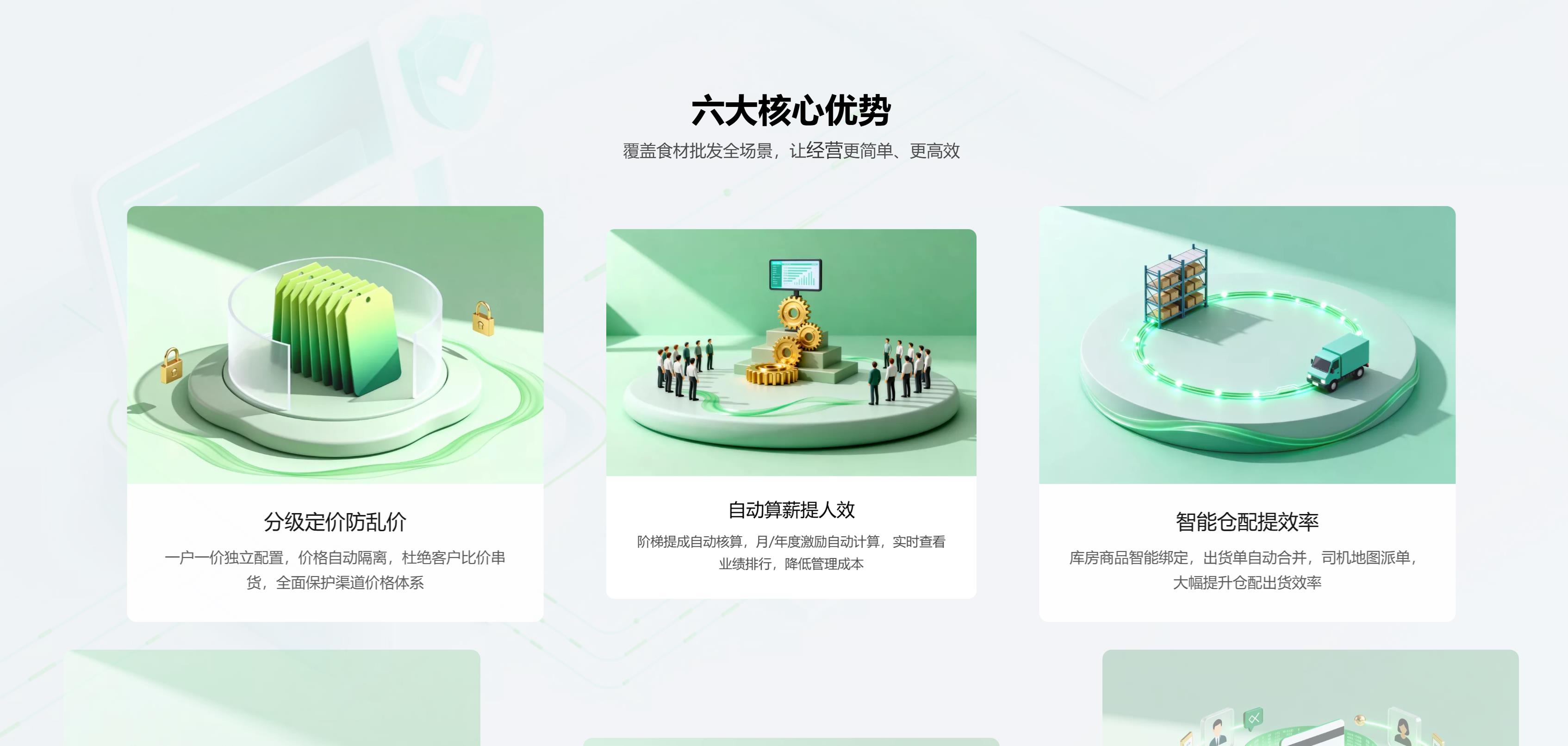
Writing abstractly that it "supports independent pricing for customers" gives customers no real sense of it. This site's approach is to give a concrete example under each feature: Customer A gets 25 yuan per item, and this price applies only from 3 items; one price for 2 items and another for 3 items, with the unit price falling as more are bought.

Giving examples instead of adjectives is the most effective technique for a B2B feature page: customers will mentally run through their own business—"Should I set it up this way for my big client too?"

Another small feature has been placed prominently: automatically converting the whole-case price into a per-jin price. Purchasing staff have to calculate this in their heads dozens of times a day; spelling it out is like saying to the customer, "You don't need to calculate this."The most persuasive features on a B2B site are often the ones so small they aren't worth putting in a PPT.

dy2.jpg

Functions are divided into four segments along the business chain, not by software module.

The product features dropdown contains four items: Smart Pricing, Customer Operations, Fulfillment & Delivery, and Operational Efficiency.

These four sections are not software module divisions (products, orders, inventory, finance); they follow an order's lifecycle from start to finish: first pricing, then service, then delivery, and finally settlement.

The difference lies in the visitor journey. When business owners come in with a specific problem—"my pricing is a mess" and click the first item, or "driver dispatch relies on phone calls" and click the third. If divided by modules, customers first have to translate in their heads: Does my mess belong to the "order module" or the "inventory module"? Most people can't make that translation and just close the page.

The feature items are also written in a consistent format: name + one scenario sentence + one rule, explained within three lines, with no elaborate adjectives.

dy3.jpg

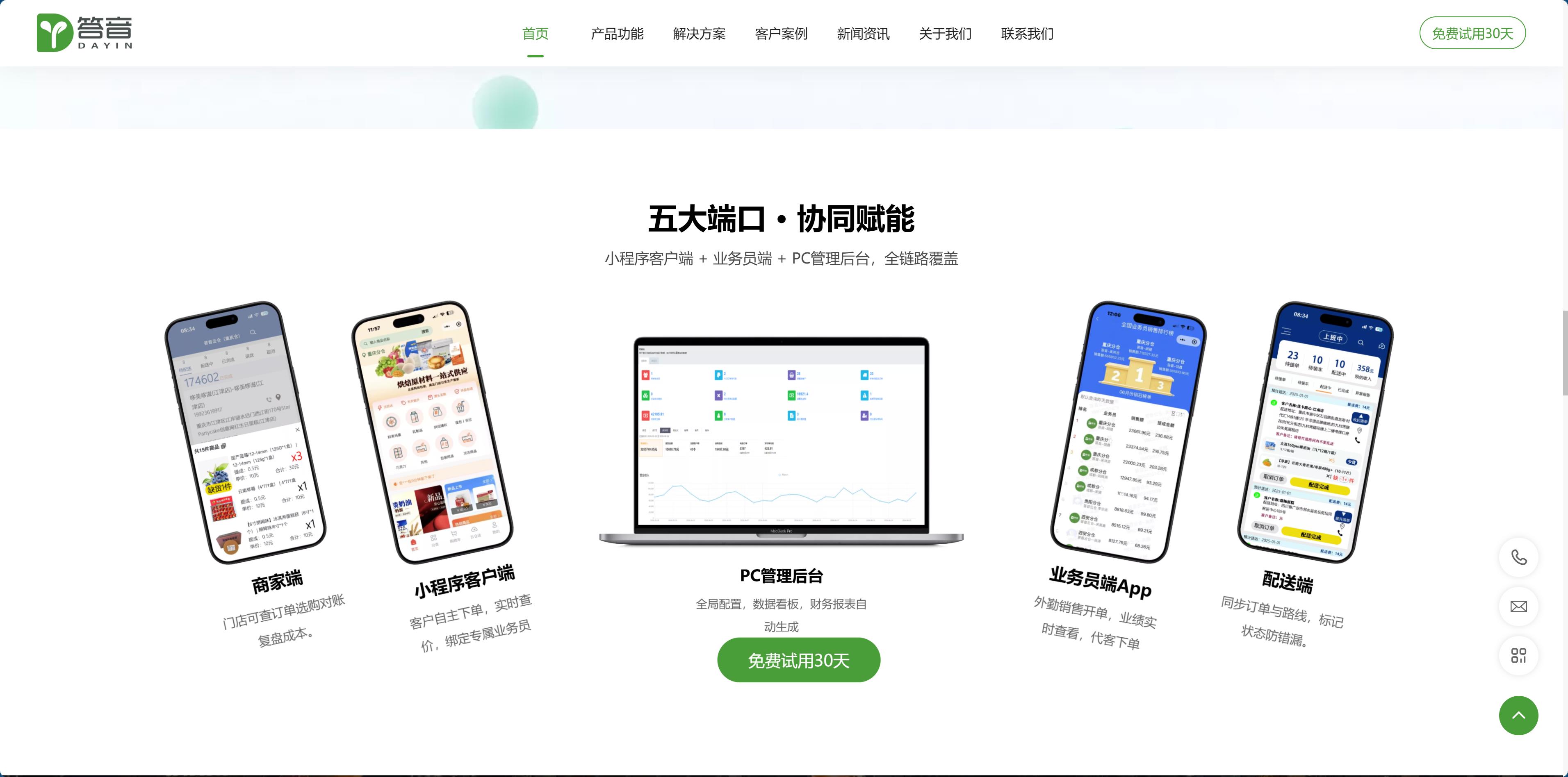
Five ports arranged horizontally, answering the question that will inevitably be asked.

The most common mistake in multi-platform products is drawing architecture diagrams: five boxes, a bunch of arrows connecting back and forth. After looking at it, customers have no idea what it has to do with them.

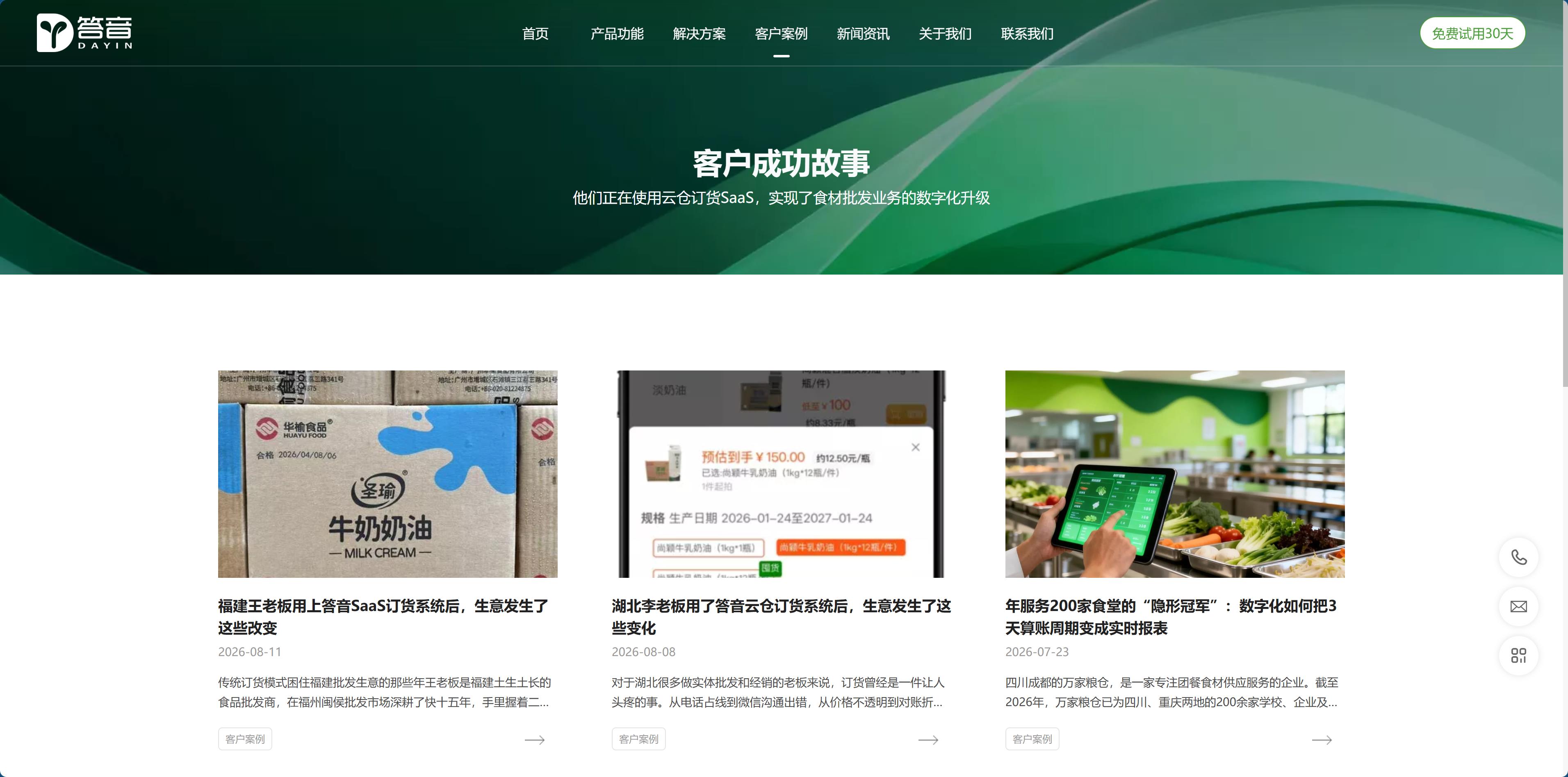
This site dedicates a whole screen to it on the homepage, with five platforms laid out horizontally: the client mini program, the salesperson portal, the PC admin backend, the delivery portal, and the merchant portal. Each platform comes with a single sentence explaining "who uses this platform and what problem it solves for them."

This is done because the first technical questions a boss asks are always the same two: Can I use it on my phone? How do my salespeople create orders?

If the platform list were buried on the third screen of the features page, it would be like making customers scroll down with their questions unanswered. The more frequently information is asked about, the earlier it should be placed.

dy4.jpg

The entire site has only one next step.

The entire site has a dozen or so buttons, all with exactly the same text: Start your 30-day free trial.

No "Learn more," no "Book a demo," no "Download the whitepaper." The most common mistake B2B sites make is giving visitors too many exits: every extra option is one more reason to hesitate, and in the end they click nothing.

A single action means that no matter which page someone enters from, the next step is the same, and the same form catches them all.

The form has only four fields: name, phone, email, plus one field for "How many people." That field is the most valuable part of the whole form—0–20 people, 21–50 people, 51+ people. It doesn't ask about budget, industry, or how many warehouses they plan to use; sales can tell from headcount alone whether to steer them to a self-serve trial or send someone onsite.

The difference in lead quality often isn't about how many questions you ask, but about asking the right one.

dy5.jpg

The data bar and the company history prove one and the same thing.

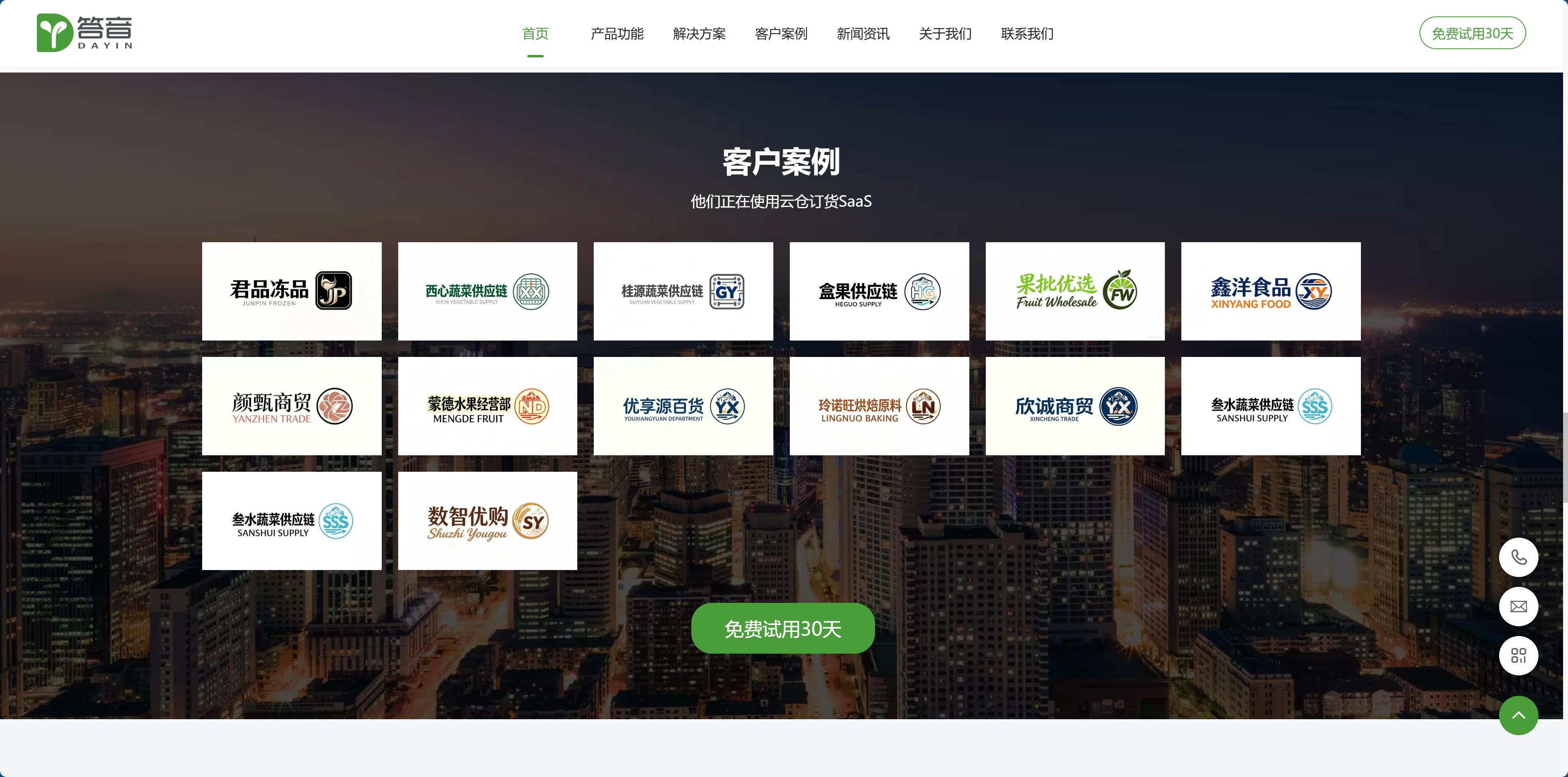
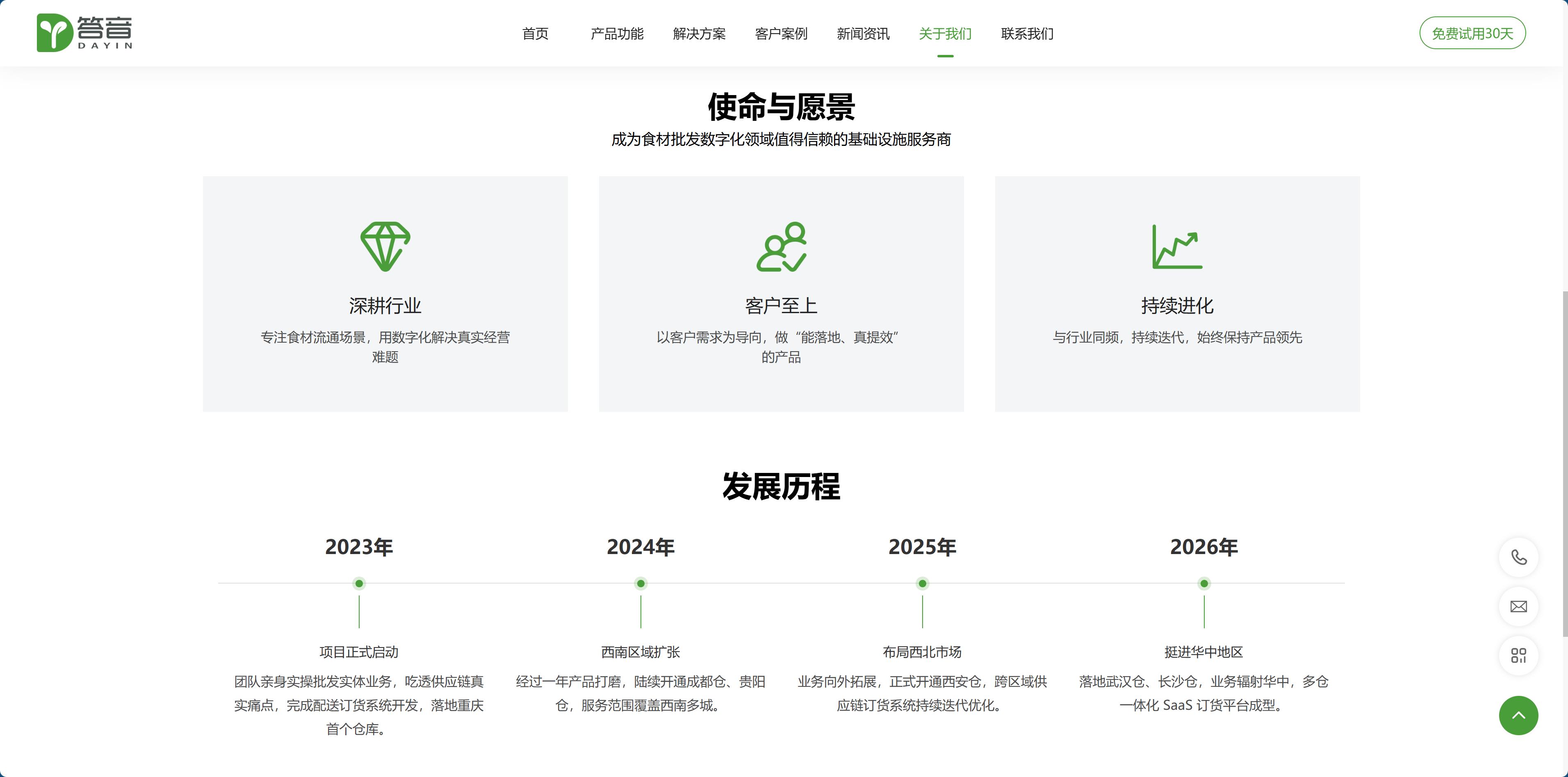
The homepage has four numbers: partner clients, cities covered, system uptime, and annual order volume. Each of the four numbers answers a question: how many people use it, how far it reaches, whether it can be relied on, and whether it can handle the scale.

Scroll down to About Us, and what makes the case even more clearly is that development timeline: in the first year, the team itself went into the wholesale business, running physical operations and setting up its first warehouse; then Chengdu, Guiyang, Xi'an, and on to Wuhan and Changsha—one city per year.

In industry SaaS, anyone can say "we understand this industry," but building your own warehouses doesn't lie—the warehouses are rented, the goods are moved, the drivers are hired, and those costs don't lie. So that timeline reads horizontally by year, and what it tells isn't about funding or headcount—it's about opening one warehouse a year.

This is also a piece of advice for peers in the same space: The hardest evidence is usually hidden in your cost structure, not in your marketing slogans.

dy6.jpg

Vision: use the language of software, not the language of fresh produce.

The conventional color palette for the fresh food industry is green and orange—the colors of vegetable leaves and fruit. This site doesn't use it: the primary color is blue, paired with dark gray body text and a white background, while yellow appears only in very small areas.

The reason is simple: customers are buying a tool, not groceries. Green would push the page toward the feel of a fresh-food e-commerce site, while blue is the language of software. Body text uses dark gray (#212121) instead of pure black, so reading hundreds of characters per screen isn't harsh on the eyes.

The entire page is also restrained: no big animations, no video backgrounds, and no dark show-off style; hierarchy comes from data bars, cards, and whitespace. Most visitors to this kind of site open it during working hours on office computers, where quiet is worth more than excitement.

Finally, mobile. Wholesale bosses and sales reps spend half the day out and about, so the page on a phone can't just be a scaled-down version: feature cards need to reflow into a single column, price samples must not scroll horizontally, and buttons need to be large enough to tap accurately with one hand.

dy7.jpg

The real engineering effort lies in translating backend logic into page language.

These projects look like they're about building a corporate website, but what they're actually doing is translation.

The rules in the backend are written for developers and operations staff: multi-tier pricing, tiered commissions, regional availability, inventory thresholds. To turn them into copy on the page, you first need to reclassify the feature list according to customers' problems, then find a plain-language explanation and a set of concrete numbers for each item, and finally unify terminology across the site—the same thing cannot be called “customer” on the homepage, “store” on the feature page, and “merchant” in screenshots.

This step takes the most time, and it is also the easiest to skip. The result of skipping it is this: not a single feature is missing, but customers don't remember a single one.

To judge whether this kind of site works, don't look at whether the design mockup looks good; look at whether a wholesale boss can sit for five minutes and state three things: which of my problems does this fix, can my staff learn it, and should I try it first or talk first. If they can say them, the site works.

dy8.jpg